
Do you have Swagger? AI can build your entire frontend. Swagger is the best context and harness
Preface
If your backend has an Swagger document, you already have everything AI needs to build your frontend.
Most developers treat Swagger as documentation. But a well-written Swagger document is the best context you can give an AI agent. Every endpoint, every field, every type, every constraint — already written down in machine-readable form. That is context engineering. And most teams already have it.
The missing piece is turning that Swagger into something AI can not just read, but execute, constrain itself with, and test against. That is what an SDK does.
I converted a shopping mall backend’s Swagger into a typed SDK and handed it to Claude with a single CLAUDE.md prompt. It produced a working enterprise-scale frontend — customer flows, seller console, admin panel — in one shot.
- Demonstration Repository: https://github.com/samchon/shopping
- Nestia : SDK generator for NestJS
- Nestia Editor : SDK generation from any Swagger/OpenAPI
What “one shot” actually looked like
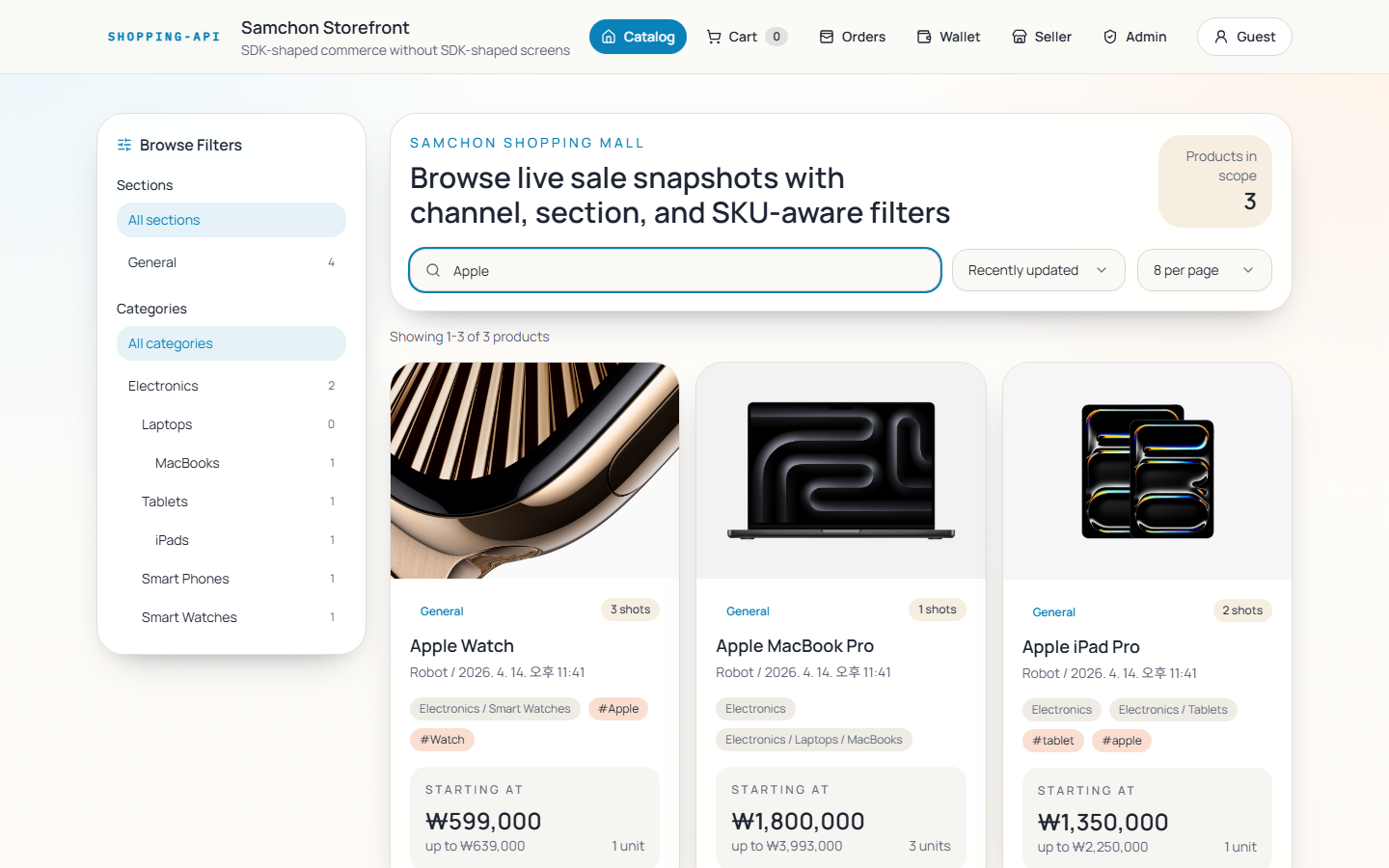
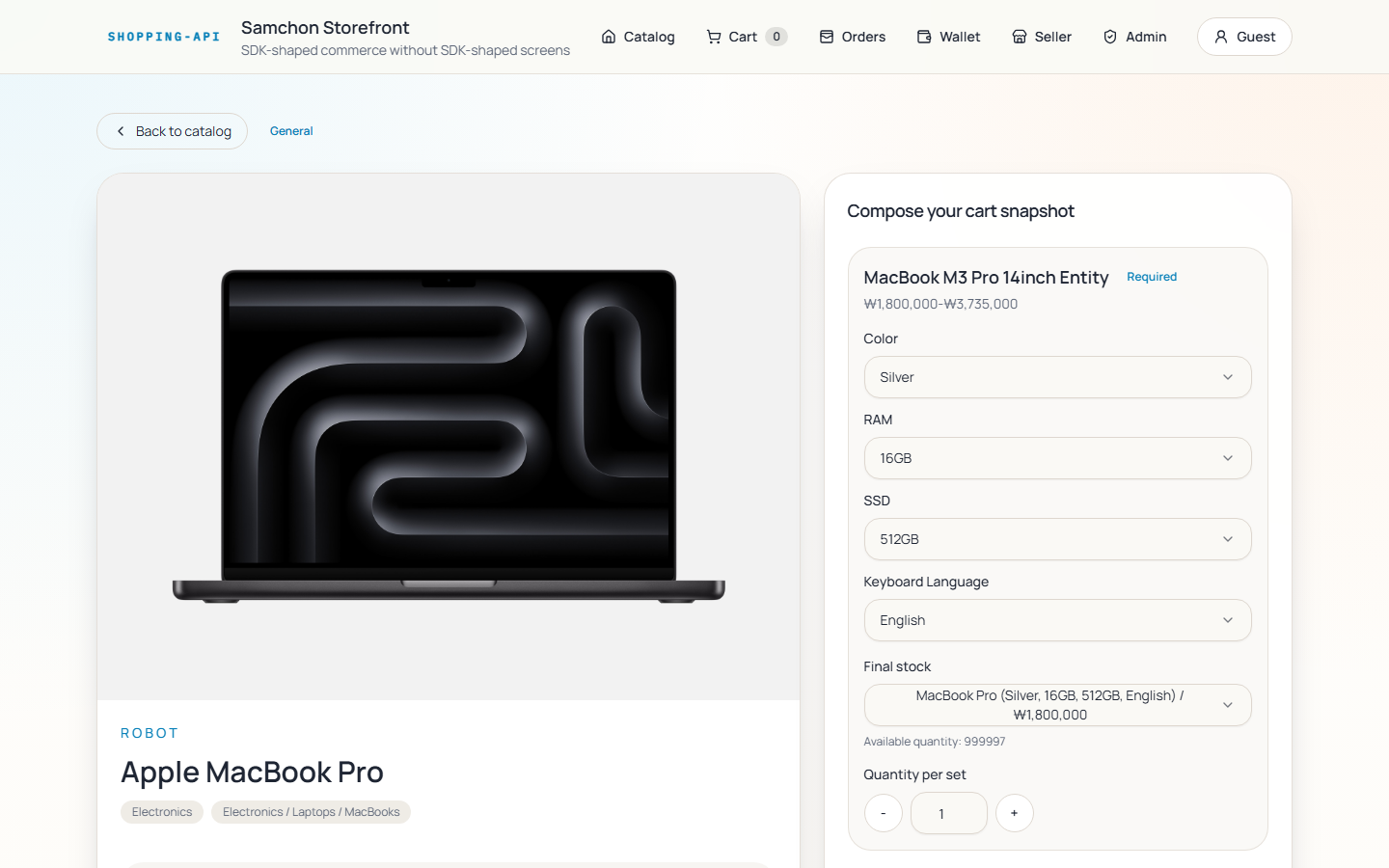
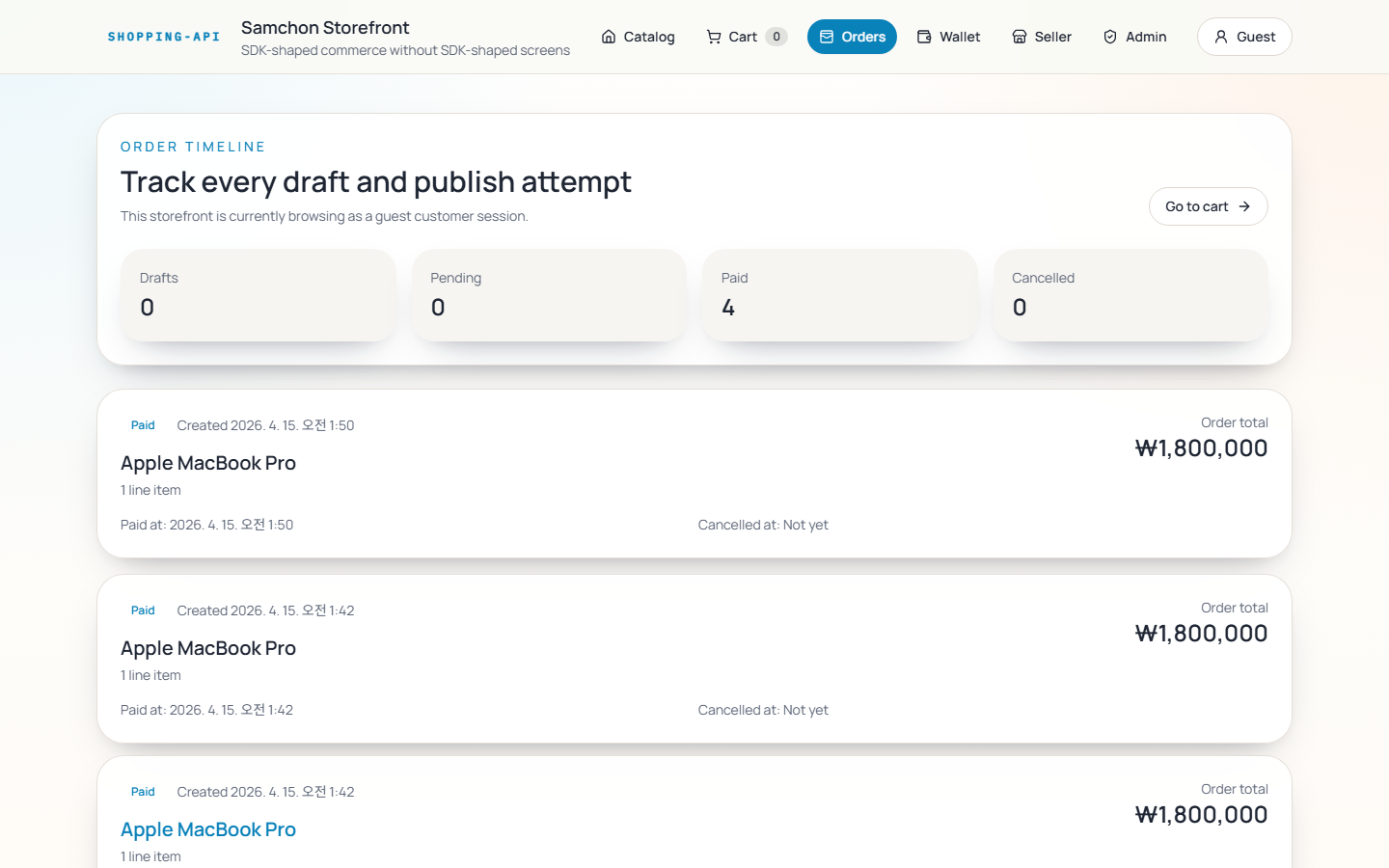
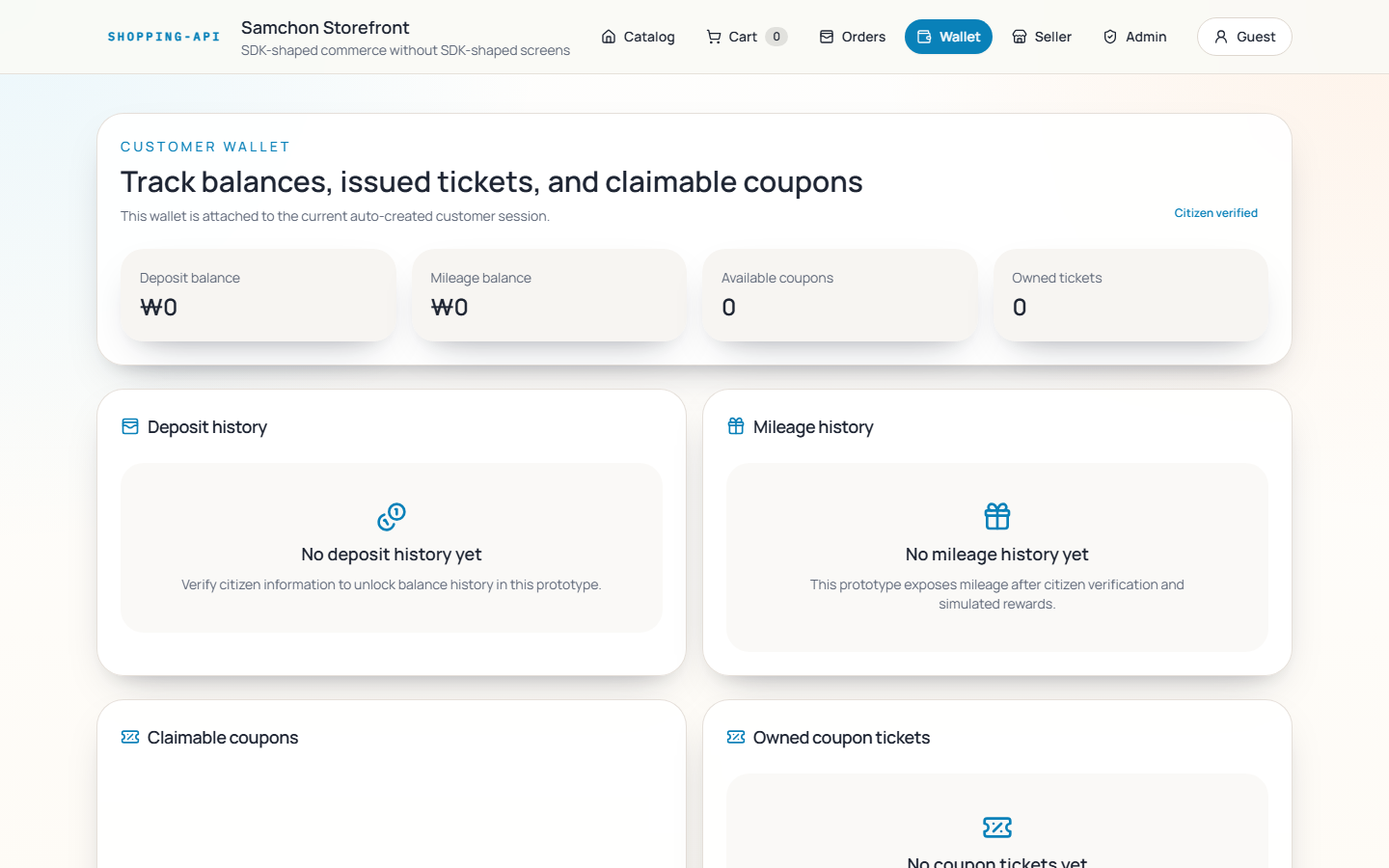
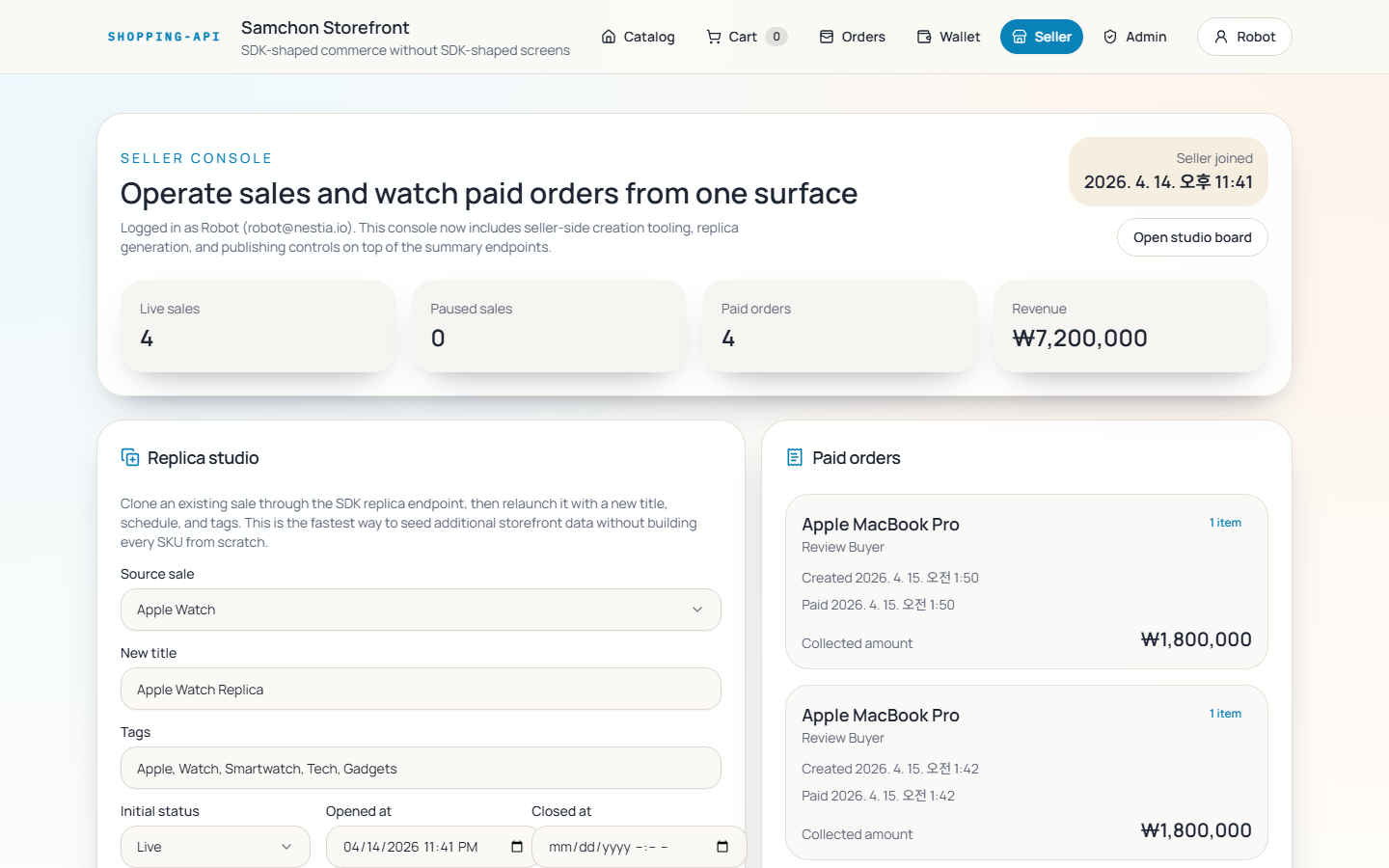
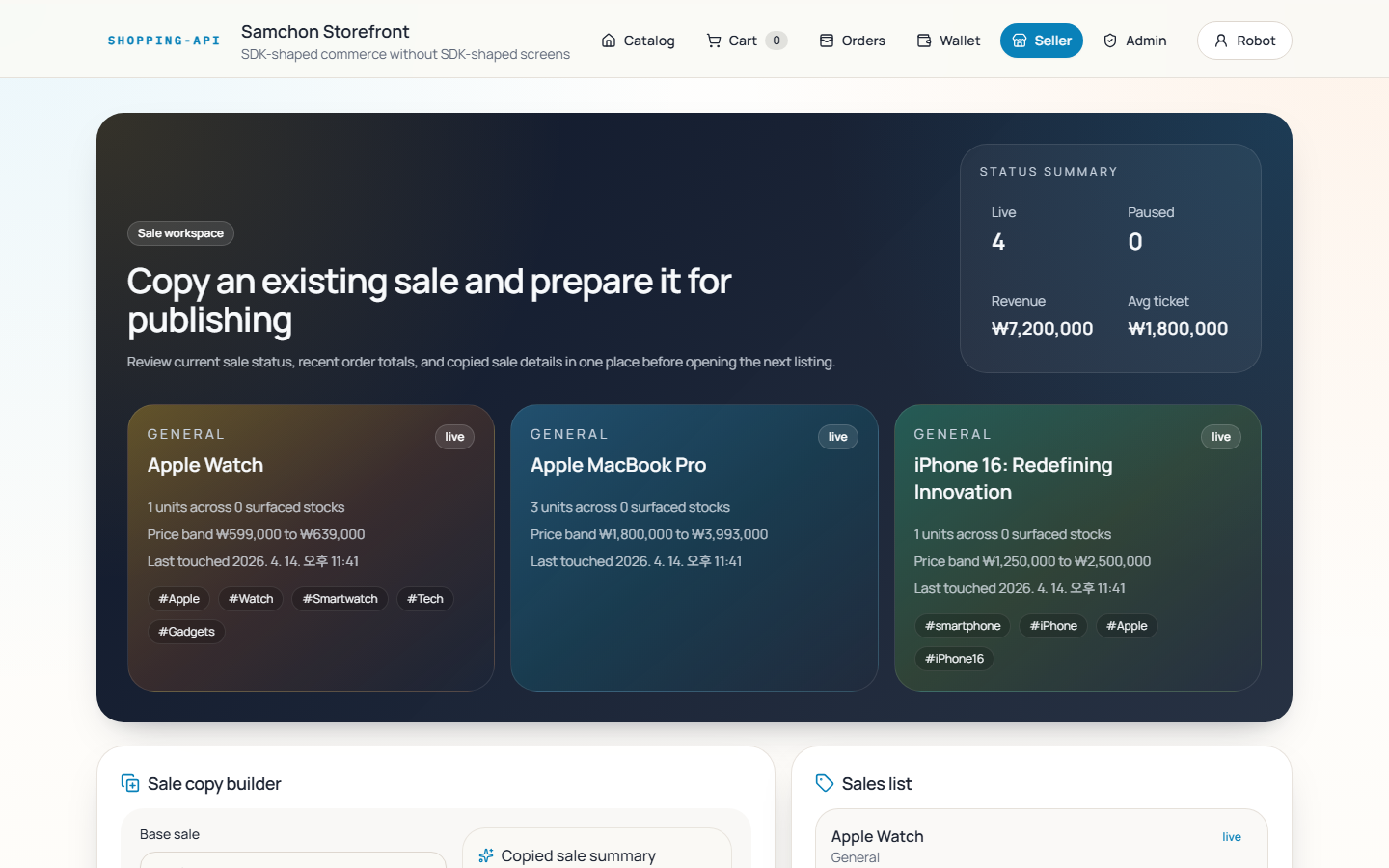
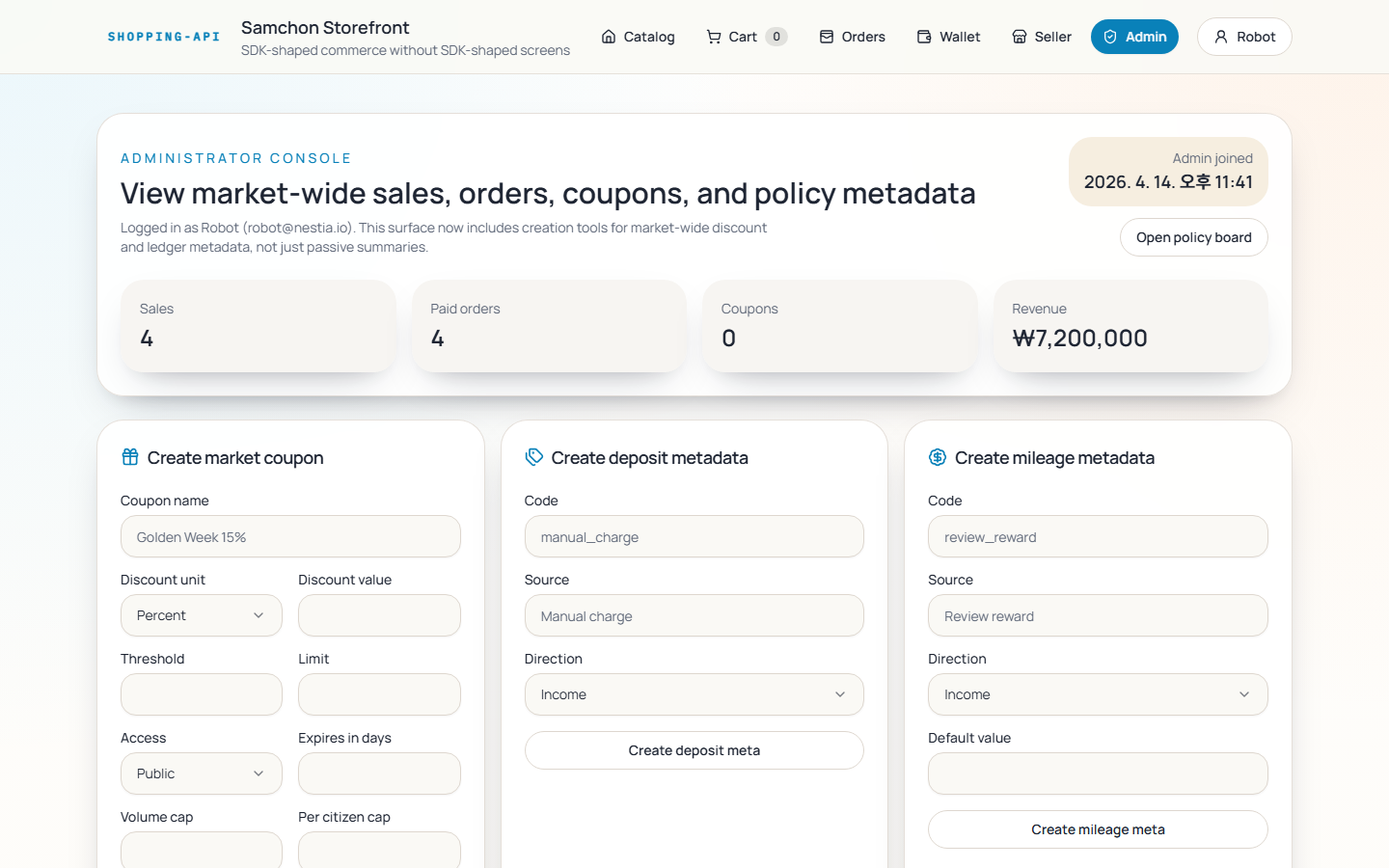
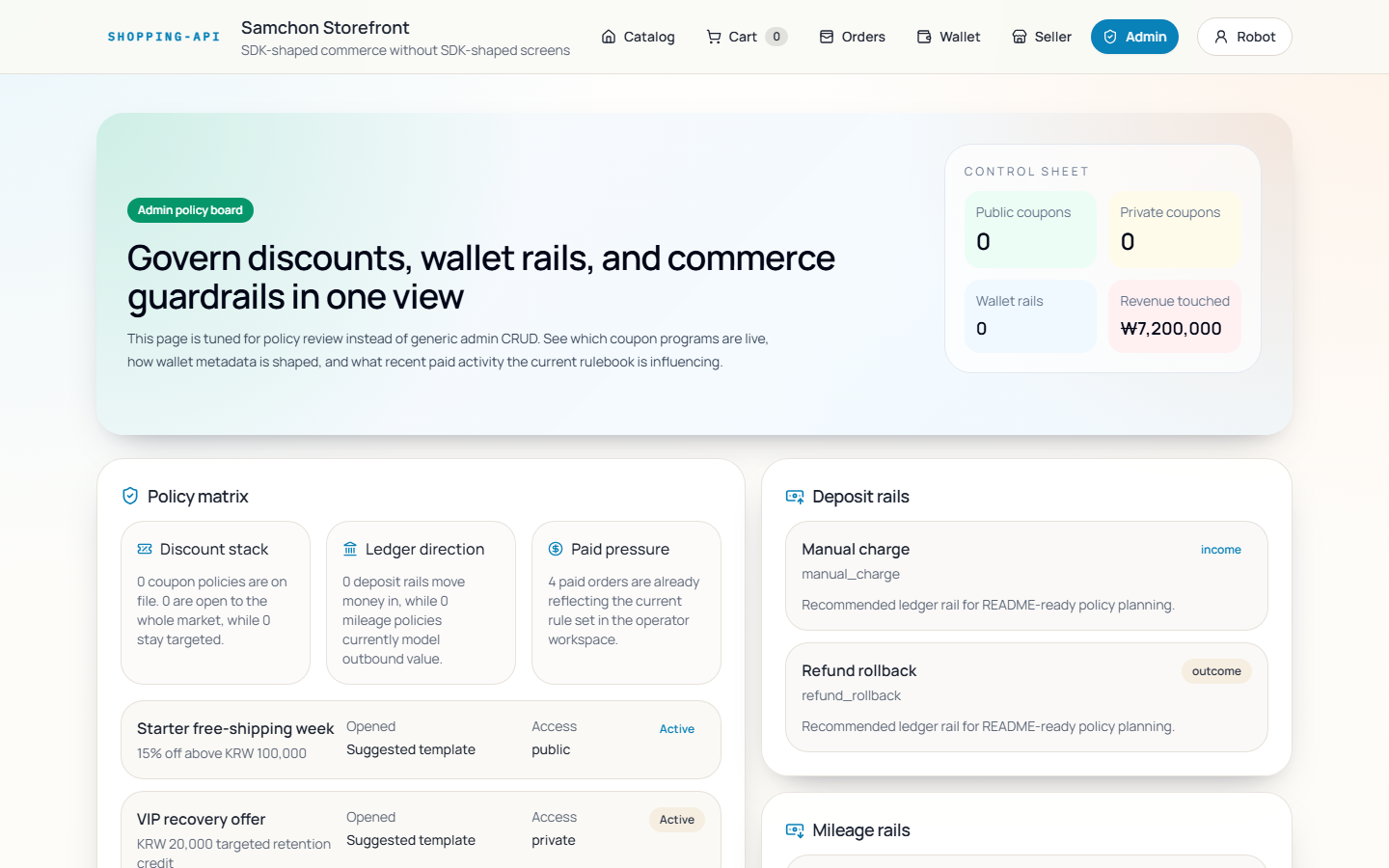
Some visual choices still feel like AI work. That is not the point.
The point is that customer flows, seller flows, and admin flows were all built and working. All three roles. All the business logic. One prompt.
You can run it yourself:
git clone https://github.com/samchon/shopping
cd shopping
pnpm install
pnpm start
Or open it in GitHub Codespaces — zero setup.
The pattern: Swagger → SDK → one-shot frontend
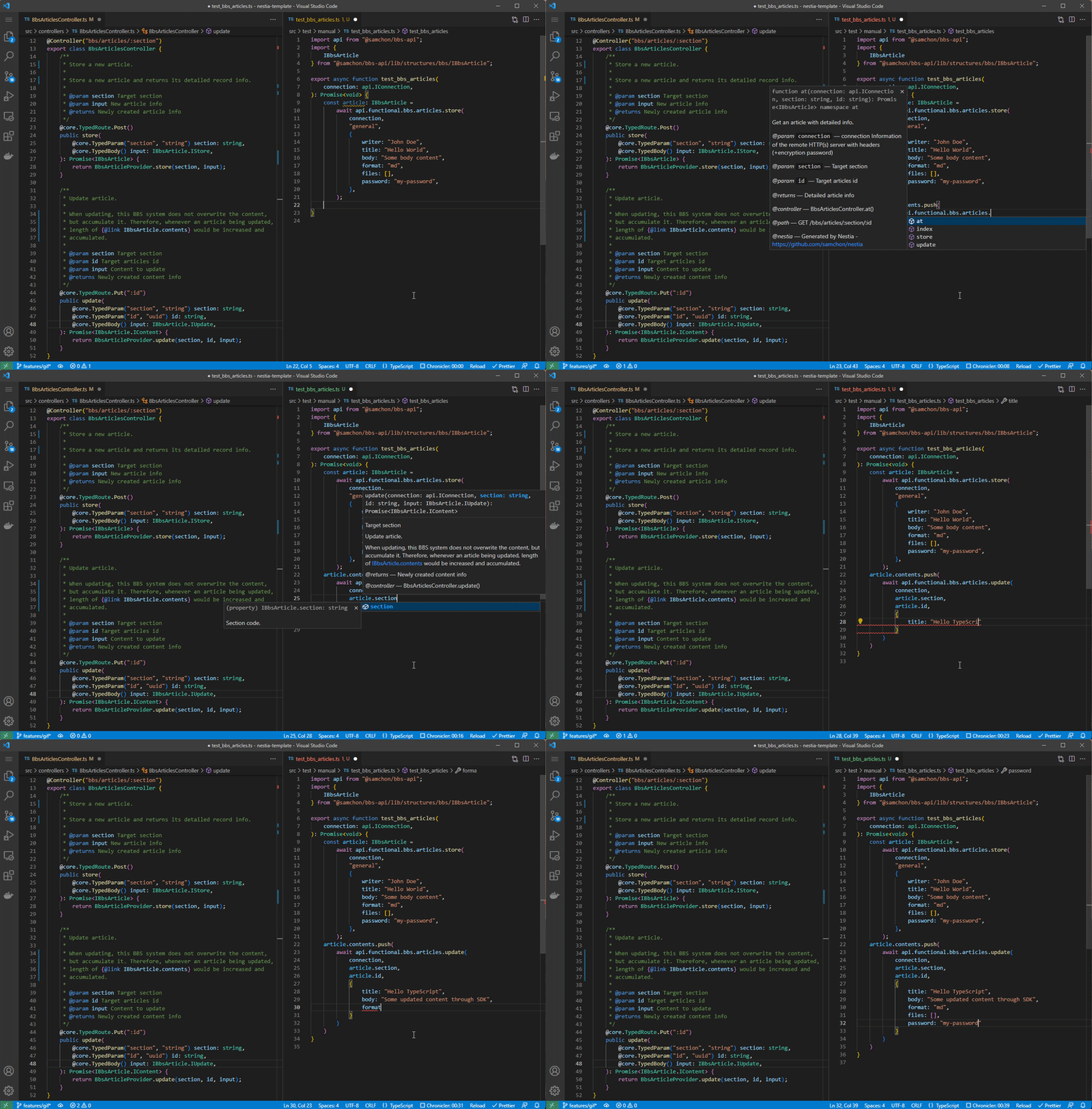
Raw Swagger fed directly to AI gets you most of the way there — AI can read the endpoints, understand the rough shapes, and start generating fetch calls. But it breaks down on precision. AI hallucinates field names. It misreads optional vs required. It constructs wrong response shapes and only finds out at runtime.
An SDK closes that gap:
| Raw Swagger to AI | Swagger → Generated SDK | |
|---|---|---|
| Context | AI reads spec and infers | Full TS types + JSDoc carried over exactly |
| Constraint | AI can hallucinate field names freely | TypeScript compiler rejects wrong shapes immediately |
| Verification | Requires a running backend server | Built-in mockup simulator, no server needed |
| Error feedback | Runtime 400/422 | Compile-time, caught before execution |
The feedback loop becomes: read SDK → write code → verify with simulator → compile check → done.
Playwright browser automation sits on top of this — AI inspects rendered screens and revises visually, not just syntactically. It does not stop at generating code. It checks whether the UI actually works.
Why Swagger quality is the real ceiling
Not all Swagger specs are equal, and this is the part most teams miss.
AI can only be as precise as the context it is given. If your Swagger has vague field names, missing descriptions, and object types with no properties defined, the SDK will carry that vagueness over — and AI will fill the gaps with guesses.
This is what the backend AI was reading for this demo. Every field carries a JSDoc comment explaining its business meaning. Types are specific enough that AI needs no external documentation at all.
/**
 * Order application information.
 *
 * `IShoppingOrder` is an entity that embodies customer's order application
 * information. However, please note that at this time, you are still at the
 * "order application" stage and not the "order confirmation" stage.
 *
 * And as soon as a customer applies for an order, all commodities in the
 * target shopping cart are promoted to goods, and those good records are
 * created under this `IShoppingOrder`.
 */
export interface IShoppingOrder {
  /**
   * Primary Key.
   */
  id: string & tags.Format<"uuid">;

  /** Representative name of the order. */
  name: string;

  /** Customer who've applied for the order. */
  customer: IShoppingCustomer;

  /**
   * List of goods in the order.
   */
  goods: IShoppingOrderGood[];

  /**
   * Price information including discounts.
   *
   * For reference, this price value has multiplied by the volume value.
   */
  price: IShoppingOrderPrice;

  /**
   * Order completion and payment information.
   */
  publish: null | IShoppingOrderPublish;

  /**
   * Creation time of the record.
   */
  created_at: string & tags.Format<"date-time">;
}And the controller:
@Controller("shoppings/customers/orders")
export class ShoppingCustomerOrderController {
  /**
   * Create a new order application.
   *
   * Create a new `order application` from a shopping cart that has been
   * composed by the customer.
   *
   * By the way, this function does not mean completion the order, but means
   * just customer is applying the order. The order be completed only when
   * customer pays the order.
   */
  @TypedRoute.Post()
  public create(
    @ShoppingCustomerAuth() customer: IShoppingCustomer,
    @TypedBody() input: IShoppingOrder.ICreate,
  ): Promise<IShoppingOrder> {
    return ShoppingOrderProvider.create({
      customer,
      input,
    });
  }
}The code is the documentation. Business rules, field semantics, flow constraints — all expressed in types and comments that flow directly into the generated SDK. AI reads this and understands not just the shape of the data, but what it means.
What the generated SDK looks like
The SDK serves three roles at once.
Context. Every DTO type and JSDoc from the backend is carried into the SDK as-is. AI reads the SDK and gets the full backend surface — endpoints, fields, constraints, business rules — without needing separate documentation.
Constraint. The TypeScript type system is the guardrail. If AI generates code that passes the wrong field or misreads a response shape, the compiler catches it immediately. Types replace the need for prose instructions like “don’t forget this field.”
Verification. The Mockup Simulator lets AI test its own code without a running server. typia.assert() validates input against the expected type; typia.random() returns a structurally correct mock response.
/**
 * Create a new order application.
 *
 * Create a new {@link IShoppingOrder order application} from a
 * {@link IShoppingCartCommodity shopping cart} that has been composed by the
 * {@link IShoppingCustomer}. Of course, do not need to put every commodities
 * to the order, but possible to select some of them by the customer.
 *
 * By the way, this function does not mean completion the order, but means
 * just customer is applying the order. The order be completed only when customer
 * {@link IShoppingOrderPublish.paid_at pays} the order.
 *
 * @param input Creation info of the order
 * @returns Newly created order
 * @tag Order
 * @author Samchon
 *
 * @controller ShoppingCustomerOrderController.create
 * @path POST /shoppings/customers/orders
 * @accessor api.functional.shoppings.customers.orders.create
 * @nestia Generated by Nestia - https://github.com/samchon/nestia
 */
export async function create(
  connection: IConnection,
  input: create.Body,
): Promise<create.Output> {
  return true === connection.simulate
    ? create.simulate(connection, input)
    : PlainFetcher.fetch(
        {
          ...connection,
          headers: {
            ...connection.headers,
            "Content-Type": "application/json",
          },
        },
        {
          ...create.METADATA,
          template: create.METADATA.path,
          path: create.path(),
        },
        input,
      );
}
export namespace create {
  export type Body = IShoppingOrder.ICreate;
  export type Output = IShoppingOrder;

  export const METADATA = {
    method: "POST",
    path: "/shoppings/customers/orders",
    request: {
      type: "application/json",
      encrypted: false,
    },
    response: {
      type: "application/json",
      encrypted: false,
    },
    status: 201,
  } as const;

  export const path = () => "/shoppings/customers/orders";
  export const random = (): IShoppingOrder => typia.random<IShoppingOrder>();
  export const simulate = (connection: IConnection, input: Body): Output => {
    const assert = NestiaSimulator.assert({
      method: METADATA.method,
      host: connection.host,
      path: path(),
      contentType: "application/json",
    });
    assert.body(() => typia.assert<IShoppingOrder.ICreate>(input));
    return random();
  };
}
Used as:
api.functional.shoppings.customers.orders.create(connection, input)
packages/api/src/functional/shoppings/customers/orders/index.ts
How to try this on your own backend
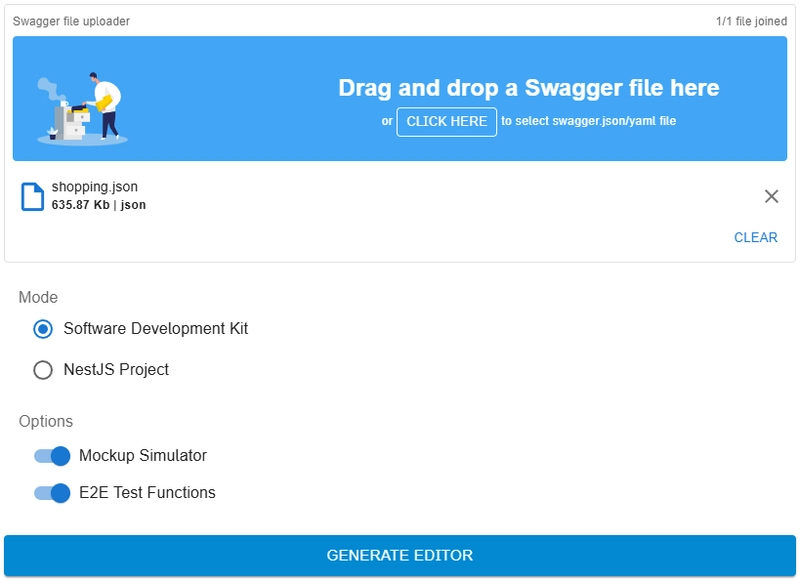
If you use NestJS: install Nestia and generate the SDK directly from your backend code.
If you use any other language or framework: upload your swagger.json to Nestia Editor . It generates the same typed SDK with Mockup Simulator included — language of the original backend does not matter.
The quality of what AI produces will reflect the quality of your Swagger. The better your field descriptions, the more precise your types, the more business context in your comments — the closer AI gets to one shot.
The uncomfortable implication for backend developers
Here is the part nobody is saying loudly enough.
Everyone is talking about AI making backend development easier. That is true. But AI also makes backend design quality matter more than ever.
When a human developer reads a vague API, they ask questions. They check Slack, read the code, make assumptions, and eventually figure it out. AI cannot do that. AI reads what you give it. A vague Swagger produces a vague frontend. A precise one produces a working one.
The era of “good enough” backend documentation is over. Your Swagger is no longer just for your teammates. It is the input to your entire frontend development pipeline.
That is why backend work matters even more in the age of AI coding — not less.
AutoBe
AutoBe is an open-source project that generates complete, compilable backends from natural-language requirements — including API design, full documentation, and E2E tests.
If you want to automate the backend generation itself as well, this is the next step.